
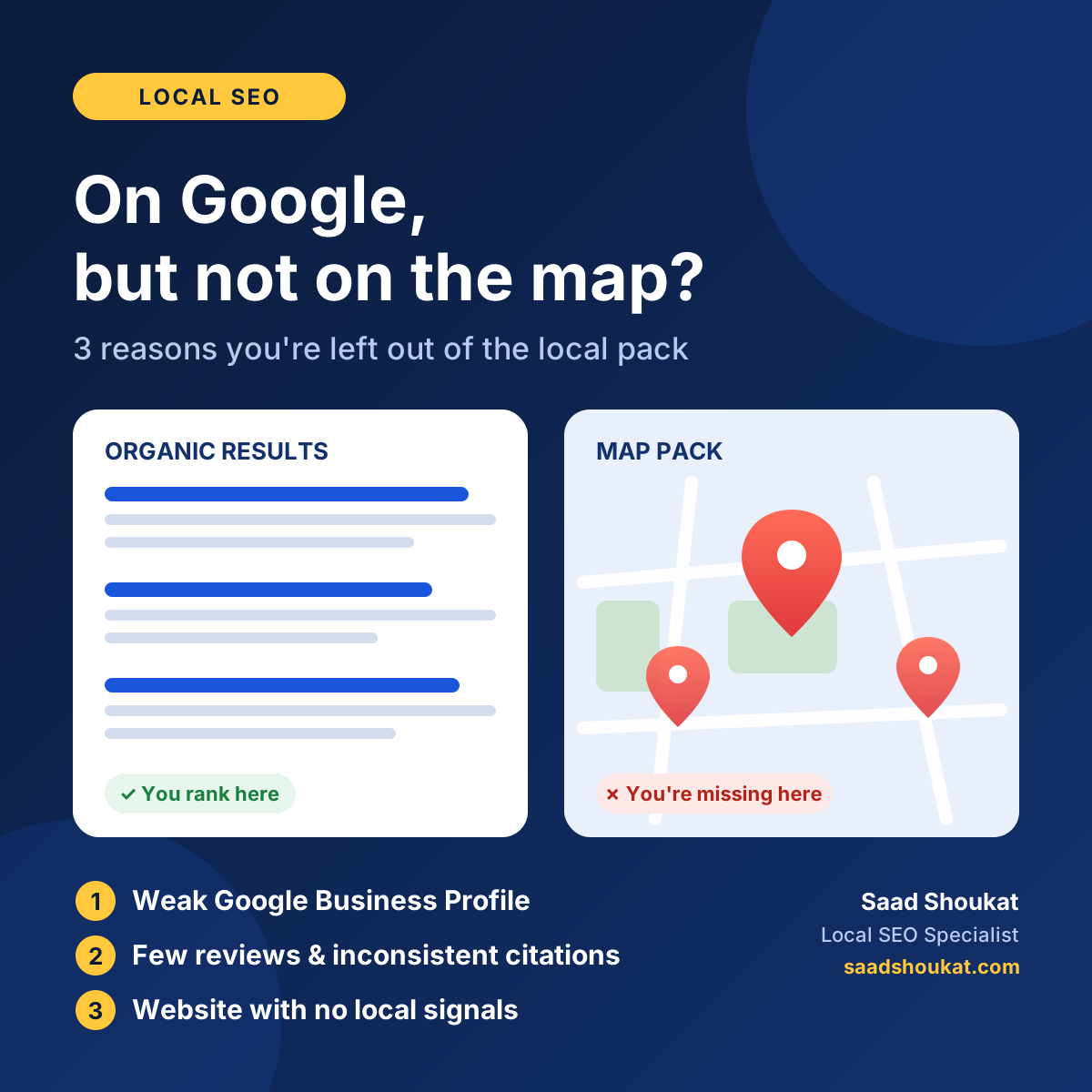
You search for your own business on Google. Your website appears in the results. But when you look at the map with the three highlighted listings, you’re not there. Your competitor is, and they’re getting the calls.
This is one of the most common frustrations I hear from local business owners, from dentists and roofers to restaurants and law firms. The good news is that it’s rarely random. Google’s map results follow different rules from its regular search results, and once you understand those rules, the fixes are clear.
In this guide, I’ll explain the difference between organic results and the local pack, show you the three main reasons businesses get left out of the map, and give you a practical checklist to fix each one.
Organic Results vs. the Local Pack: What’s the Difference?
When someone searches for something with local intent, such as “dentist near me” or “HVAC repair in Dallas,” Google usually shows two different kinds of results.
Organic results are the standard blue links. These are websites that Google ranks based on content quality, relevance, backlinks, technical health, and many other signals. Your website competes here.
The local pack (also called the map pack or Google Maps results) is the block of three business listings shown with a map. These listings come mostly from Google Business Profiles, not from your website. This is where businesses get phone calls, direction requests, and walk-ins.
That difference explains the problem. You can rank well in organic results and still be invisible in the local pack, because the two are driven by different signals. A strong website won’t put you on the map if your Google Business Profile is weak, and a perfect profile won’t help much if your website gives Google no local context.
Google has said publicly that local results are based mainly on three factors: relevance (how well your listing matches the search), distance (how close you are to the searcher), and prominence (how well known and trusted your business is). Almost every reason a business gets left out of the map comes back to one of these.
Reason 1: Your Google Business Profile Is Missing, Unverified, or Poorly Set Up
If you’re not in the local pack, the first place to look is your Google Business Profile (GBP). This is the single biggest factor for map visibility, and it’s where most businesses lose.
Common problems I see in audits:
- The profile isn’t claimed or verified. Unverified profiles have very limited ability to rank and can’t be managed properly.
- The wrong primary category. Your primary category tells Google what you are. A roofer listed as “Contractor” instead of “Roofing contractor” sends a weak relevance signal.
- Missing secondary categories and services. These help Google match you to more specific searches.
- Incomplete information. Missing hours, no description, no website link, or few photos all make a profile look inactive.
- Suspensions or duplicate listings. Duplicate profiles for the same location, or a suspended profile, can remove you from the map entirely.
- Poor service-area setup. Service-area businesses should define the areas they actually serve and hide their address if customers don’t visit them.
How to fix it:
- Claim and verify your profile if you haven’t already.
- Choose the most specific primary category available, then add relevant secondary categories.
- Fill in every section: services, products, business description, attributes, opening hours, and your website URL.
- Upload real photos regularly, including your team, work, storefront, and results.
- Search for your business name and address to check for duplicate or old listings, then merge or remove them.
- Post updates, offers, or news on your profile so it shows ongoing activity.
Reason 2: Weak Prominence Signals (Reviews, Citations, and Trust)
Even with a complete profile, you may be outranked by competitors who look more established and trusted. This is the prominence factor, and three things drive most of it.
Reviews. The number, quality, recency, and variety of your reviews all matter. A business with a handful of old reviews will usually struggle against a competitor that collects fresh reviews every week. Responding to reviews, both positive and negative, also shows that you’re active.
Citations and NAP consistency. A citation is any mention of your business name, address, and phone number (NAP) on other websites, such as directories, chambers of commerce, and industry listings. If your details differ between sources, for example “Street” vs. “St.” or an old phone number, Google loses confidence in your information.
Local links and mentions. Links and mentions from local news sites, community organizations, sponsors, and partners help show that your business is a real part of the area.
How to fix it:
- Build a simple review habit: ask every happy customer, send a direct link to your review page, and make it part of your process after each job or visit.
- Reply to every review, using natural language that mentions the service and location where it fits.
- Audit your NAP across the major directories and fix inconsistencies so every listing matches your Google Business Profile exactly.
- Earn local links by sponsoring local events, joining local associations, partnering with nearby businesses, and sharing useful local content.
Reason 3: Your Website Gives Google No Local Context
Your website doesn’t control the map directly, but it supports your profile. Google compares the two, and if your site doesn’t clearly show what you do and where you do it, you lose relevance.
Common problems:
- No dedicated location or service pages. One generic homepage trying to cover every service and every city is not enough.
- Thin or duplicated content. Copying the same page for ten cities with only the city name changed doesn’t help and can hurt.
- Missing local signals. No address or phone number on the site, no embedded map, and no local business schema markup.
- Slow or poor mobile experience. Most local searches happen on phones. If your site is slow or hard to use, both rankings and conversions suffer.
- Mismatched details. The business name, address, or phone number on the website doesn’t match the Google Business Profile.
How to fix it:
- Create a separate page for each core service and each major area you serve, with genuinely useful, unique content on each.
- Show your NAP clearly in the header or footer and on your contact page, matching your profile exactly.
- Add LocalBusiness schema markup so search engines can read your details clearly.
- Embed your Google Map on your contact page and link your profile from your website.
- Improve mobile speed and usability, and make your phone number tap-to-call.
- Include local proof such as case studies, customer stories, and photos of work in the area.
A Note on Distance
Distance matters, and you can’t fully control it. Google often favors businesses that are physically closer to the person searching. That’s why you might appear on the map when someone searches from near your office but disappear a few miles away.
You can’t move your location, but you can strengthen relevance and prominence so you compete better across a wider area. This is also why a rank tracker that checks results from a grid of locations gives a more honest picture than checking from your own desk.
How to Check Where You Actually Stand
- Search your main service plus your city in a private or incognito window, and note whether you appear in the map pack.
- Search from a few different areas, or use a local rank-tracking tool, to see how rankings change with location.
- Open the Performance section of your Google Business Profile to see how many people found you, called you, and requested directions.
- Compare your profile with the top three competitors: categories, number of reviews, photos, posts, and website content.
The gaps you find in step four are your to-do list.
Quick Local Pack Checklist
- Profile claimed, verified, and free of duplicates
- Specific primary category and relevant secondary categories
- Services, description, hours, and photos fully completed
- Steady stream of recent reviews, with replies
- Consistent name, address, and phone number everywhere
- Dedicated service and location pages on your website
- LocalBusiness schema and a mobile-friendly, fast site
- Local links, mentions, and community involvement
Frequently Asked Questions
Why does my business show on Google but not on Google Maps?
Organic results and map results use different ranking signals. Your website may rank well in organic search while your Google Business Profile lacks the category accuracy, reviews, or completeness needed to appear in the local pack.
How long does it take to appear in the local pack?
It depends on your competition and your starting point. Fixing a missing or incorrect profile can show an effect fairly quickly, while building reviews, citations, and local authority is a steady process that usually takes a few months.
Do reviews really affect map rankings?
Yes. Review quantity, quality, recency, and your replies all contribute to prominence, and they also influence whether people choose you once they see you.
Do I need a website to rank on Google Maps?
You can appear without one, but a strong website with local pages and consistent details supports your profile and helps you compete, especially in competitive markets.
Can a suspended or duplicate profile keep me off the map?
Yes. Suspended profiles and duplicate listings can remove or suppress your visibility, and they need to be resolved before other work will pay off.
Is local SEO worth it for a small business?
For businesses that serve customers in a specific area, it’s one of the most direct ways to get calls from people who are already searching for your service.
Get a Free Local SEO Check
If you’ve done the basics and still can’t find yourself on the map, there’s usually one specific gap holding you back. I work with local businesses, including contractors, dentists, HVAC companies, restaurants, law firms, and realtors, to find that gap and fix it.
Want me to look at your profile and website? Send me your business name and city, and I’ll review where you stand and what to fix first.
